Applies to:
Adobe Acrobat Sign

某些 Creative Cloud 应用程序、服务和功能在中国不可用。

Use Create PDF to convert Microsoft Office documents (Word, Excel, or PowerPoint), and other supported file formats to PDFs.
-
Sign in to Adobe Document Cloud at https://documentcloud.adobe.com with your Adobe ID and password, or with your social (Facebook or Google) account.
-
To select the files that you want to convert, do one of the following and then click Continue:
- Choose files from the Recents or Documents list.
- Add files from your computer or drag-and-drop the files onto the highlighted area.
- You can also drag and drop files to the Convert To PDF tool on the Convert page.
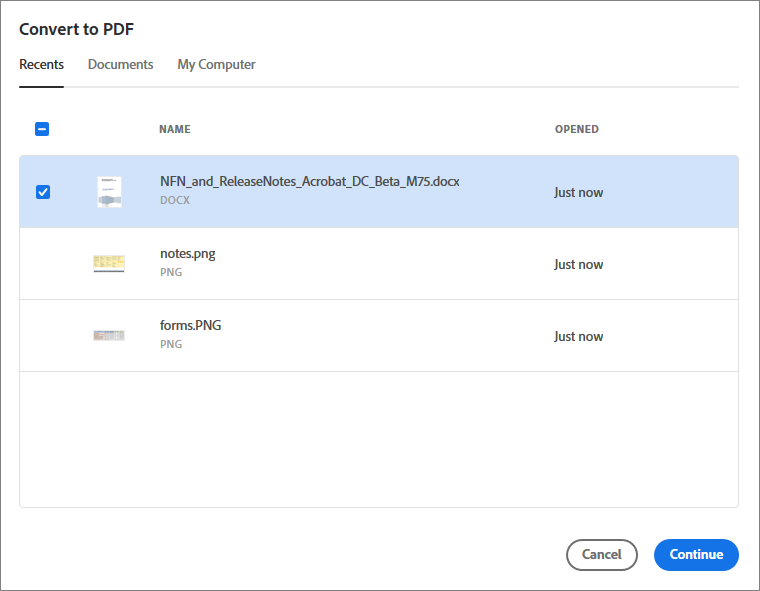

- Choose files from the Recents or Documents list.
-
The selected file is uploaded to the server, converted to PDF, and then it's ready for download. A preview of the converted file is displayed. Click the Download icon to save the file on your computer or device. On the right-pane, you can access the Convert, Edit, and Sign tools to perform further action on the PDF if required.

