


如需專家秘訣和常見問題的解決方案,請造訪 Adobe After Effects 社群論壇。與我們的團隊和其他使用者聯繫,交流想法、共用您的作品、隨時掌握最新功能和公告,並提供意見。
上次更新時間
2026年10月12日
探索 Adobe After Effects 最新版本的新功能與強化項目。
2026 年 9 月版本 (版本 26.5)
?$png$&jpegSize=300&wid=1920)
After Effects 新指南功能
使用新指南,支援百分比定位、邊緣釘選、自訂指南色彩和改良的指南編輯控制項。
了解指南建立和管理 ›

物件遮罩的磁碟快取
磁碟快取可在您關閉專案後保留傳播的 Object Matte 結果,釋放 RAM 並加速長片段的工作。
了解 AI 驅動的 Object Matte ›

效果的色彩標籤
在 Effect Controls 面板中為個別效果執行個體指定色彩標籤,以更輕鬆地整理、識別和使用您的效果。
了解 Effect Controls 面板中的色彩標籤 ›

Effect Controls 面板現代化
使用基於現代框架建構的更新 Effect Controls 面板,透過圖示式控制項檢視和管理效果。
了解更多 Effect Controls 面板資訊 ›

After Effects 中的 ACES 2.0 支援
使用升級的 OpenColorIO (OCIO) 2.5.1 資料庫以 ACES 2.0 原生工作,從兩個包含的設定 ACES 2.0 CG v4.0 和 ACES 2.0 Studio v4.0 中選擇,以配合您的工作流程。
了解 OpenColorIO 和 ACES 色彩管理 ›
2026 年 6 月版本 (版本 26.3)

Create and use Depth of Field in the Advanced 3D renderer
Create a Depth of Field effect that lets you focus on 3D models, parametric meshes, Substance 3D materials, 3D text, shape layers, and more in Advanced 3D.
Learn to enable in‑engine Depth of Field ›

Copy and paste Illustrator and SVG content
Paste SVG content from Illustrator or other apps directly into After Effects as native, editable shape layers using Edit > Paste.
Learn to copy and paste Illustrator and SVG content ›

Updated Mask Tracker
Track masks faster and more accurately with the updated mask tracker, now up to 5x faster with accessible controls that let you start tracking directly from the Timeline panel.
Learn about mask tracking in After Effects ›

Copy a frame to the clipboard
Capture the currently rendered frame as a still image from the Composition, Footage, or Layer panel and copy it to your system clipboard in a single click.
Learn to copy a frame to the clipboard ›

Curl Noise effect for swirling animated 2D patterns
Create fluid, organic 2D noise that feels like smoke, water, or ink, ideal for smooth, flowing motion in backgrounds, textures, and abstract animations.
Learn about Curl Noise effect ›

Quickly Find Variable Fonts by Axis
Filter the font list to show only variable fonts, making it easier to find the right fonts.
Learn to work with Variable Font Axes ›
2026 年 4 月版本 (版本 26.2)

AI-powered Object Matte
Use the Object Matte tool to automatically select, isolate, and track subjects in your composition using single-click AI-powered subject selection.
Learn to use Object Matte ›

Displacement support for 3D materials on parametric meshes
Use displacement to push a mesh into 3D space using height data, adding subtle texture for realism or turning simple shapes into detailed models.
Learn to use Displacement Options ›

Search and instantly apply effects, presets, or commands
Use Quick Apply to quickly search for any effect, animation preset, or menu command, then select what you need and apply or run it instantly.
Learn to use Quick Apply ›

Proportional Scrubbing in timeline
Distribute changes across multiple layers proportionally by dragging a selected property's hot‑text values, enabling faster, more intuitive multi‑layer adjustments.
Learn to use Proportional Scrubbing ›

Import SVG file as footage or as a composition
Import SVG files as a composition with editable vector layers or as rasterized footage, allowing you to choose the level of flexibility that best fits your project.
Learn to import SVG files as footage ›

Substance 3D Materials (SBSAR)
Apply Substance Materials (.sbsar files) to 3D models and parametric meshes to explore a wide range of visual styles and achieve stylized looks.
Learn to apply Substance 3D Materials to 3D models ›

Create parametric meshes
Use the new mesh tool to create parametric shapes such as spheres, cubes, and cones directly within the app, and customize or animate their size, shape, and appearance.
Learn to create parametric meshes ›

Enable lights to cast shadows
Add multiple shadow-casting Spot, Parallel, and Environment lights to your 3D scene when using the Advanced 3D renderer in a 3D composition.
Learn to enable lights to cast shadows ›

Support for Variable Font Axes
Animate OpenType Variable fonts in After Effects, using a single font file that includes multiple styles for precise control over weight, width, and style.
Learn more about Variable Font Axes ›

Improved Illustrator layer conversion
Illustrator layers now preserve gradient fills, strokes, and transparency when converted to native shape layers, which also support animatable Scale and Rotation for gradients.
Learn how to convert Illustrator layers to shape layers ›

Import SVG files as vectors
Import SVG files directly into your composition and convert them into editable shape layers, ready for customization and animation.
Learn how to import SVG files as native, editable shape layers ›

Unmult effect for Keying transparency
Remove solid black or white backgrounds from footage while preserving the colors and details of the foreground for compositing or other visual effects.
Learn how to use the Unmult effect ›

Lossless Compressed Playback
Preview longer segments of your timeline while using significantly less disk space, without compromising visual quality.
Learn how Lossless Compressed Playback can help you ›

Crop composition to selected layer(s) bounds
Crop your composition to the selected layers’ bounds by shrinking it to fit smaller content or expanding it to include elements that extend beyond the current frame.
Learn how to crop composition to selected layer bounds ›

New built-in audio effects
Add new audio effects— Distortion, Compressor, and Gate to enhance and manage sound in your compositions, giving you precise control over audio directly within After Effects.
Explore audio effects available in After Effects ›

Refreshed After Effects Preferences
Improved grouping and preference organization for faster access and a more efficient workflow.
Explore the refreshed After Effects preferences ›

New expression and scripting enhancements
Quickly locate the keyframe or marker before or after a specific time, and read the current text value along with the full list of dropdown menu items.
Learn about dropdown menu attributes ›

Windows ARM native support
After Effects now runs natively on Windows ARM systems, delivering improved performance and efficiency for ARM-based devices.
Learn about support for ARM-based Windows devices ›

Improved UI language support
Run After Effects in languages different from the OS display language, enter Unicode characters in UI elements, mix multiple language scripts in a single text field, and more.
Learn about UI language support in After Effects ›

Extensive fixes and improvements
New improvements and fixes in After Effects make it easier and faster to work on your projects, helping you get things done more efficiently.
Explore all the fixed issues ›

Modify Default Camera Settings
Use the View menu to adjust the custom view and Default Camera Settings, whether viewing through a camera layer, the default active camera, or a custom view.
Learn to adjust Default Camera Settings for 3D compositions ›

Single 3D Gizmo for multiple 3D layers
Select multiple 3D layers and control them together using a single gizmo to simplify managing complex scenes and reduce visual clutter in your workspace.
Learn to use a single 3D Gizmo control for multiple 3D layers ›

Tip of the Day
Find quick, practical insights into features, time-saving shortcuts, and best practices each time the Composition, Footage, or Layer panels are reloaded or empty.
Learn more about the Tip of the Day feature ›


?$pjpeg$&jpegSize=200&wid=1200)


支援 NVIDIA Blackwell 架構 GPU
10 位元 4:2:2 影片的硬體加速可大幅改善播放效能。


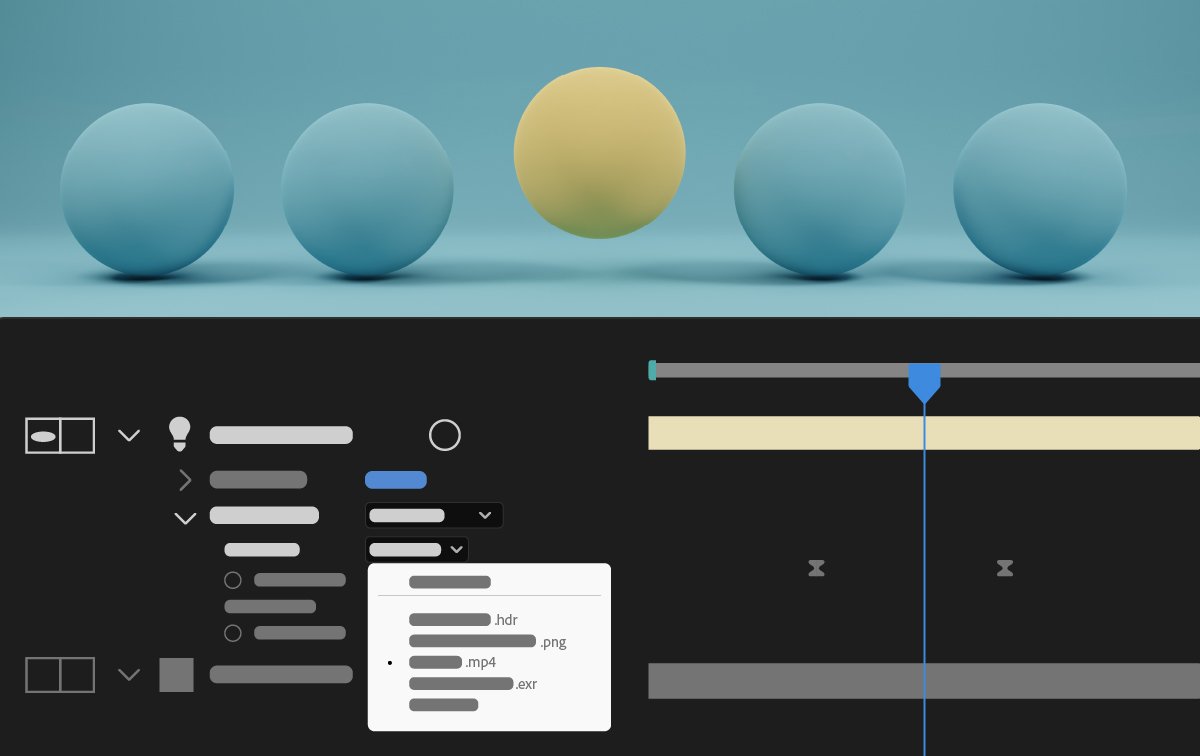

常見 3D 工作流程的輔助指令
使用新指令透過單次按下動作簡化常見的 3D 工作流程,例如將攝影機連結至光線、將 2D 效果套用至 3D 物件,以及視覺化環境光線的來源。


加入我們的社群來交流、學習和參與

