Platform
Last updated on
Aug 18, 2026
|
|
Description |
|
Applicable operating system |
Windows and macOS |
Issue
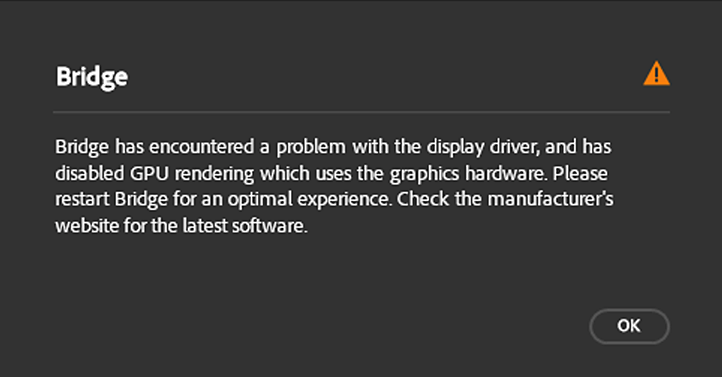
When you launch Bridge, the following error appears:Bridge has encountered a problem with the display driver, and has disabled GPU rendering which uses the graphics hardware. Please restart Bridge for an optimal experience. Check the manufacturer's website for the latest software.
Workaround
Update your graphics driver and troubleshoot your video adapter hardware.
macOS:Graphics drivers are updated via operating system updates. To make sure that you have the latest macOS updates, choose Software Update from the menu or the Updates tab in the App Store application.
Windows:Download the most recent driver directly from your graphics card manufacturer's website:Perform a clean installation of your graphics card driverWhen upgrading the graphics card driver, it is recommended that you remove all previous versions of the graphics card driver from your computer before installing the new one. This is called a clean installation.Once you’ve determined the make and model of your graphics card in your computer, follow your card’s manufacturer documentation and resources below:After installing the updates, relaunch Bridge.
- NVIDIA drivers
- AMD/ATI drivers
- Intel drivers
- NVIDIA drivers: How to perform a clean installation of my Nvidia drivers?
- AMD drivers: AMD Clean Uninstall Utility
- Intel: Intel Driver & Support Assistant (Intel DSA)
- Windows Update won't always give you the latest and greatest drivers. You must go directly to your card manufacturer’s website to check for driver updates.
- Be sure to choose the correct driver. Notebook drivers sometimes have a different name than similar desktop drivers.
- Some video adapter manufacturers have other software that requires updating in addition to the video driver. Read the update instructions carefully, and contact the video adapter manufacturer directly if you don't understand the instructions.
Additional information
Every time you launch Bridge, it runs a utility in the background to check for any defective, unsupported, or incompatible graphics processor or graphics driver.If Bridge identifies a defective, unsupported, or incompatible graphics processor or graphics driver, it displays the above message and automatically selects the Use Software Rendering option in the Advanced tab of the Preferences. After you correct the problem, either by updating the driver or replacing the video card, and launch Bridge, it automatically deselects the Use Software Rendering option and leverages the graphics processor or graphics driver.

Organize your creative world with Bridge
Access and manage all your digital assets.
