Animate 說明
從新角度檢視圖稿
Adobe Animate 版本說明
Animate 系統需求
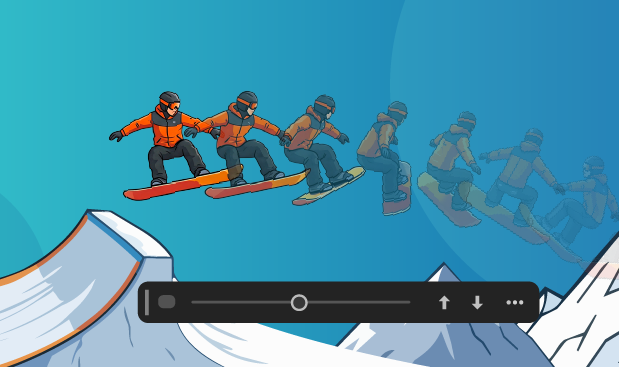
關於移動補間動畫
如何使用 Animate 建立按鈕
Animate 的已知問題
請閱讀本主題,了解如何在 Animate 中使用、編輯和建立多個檔案類型及其他 Adobe 應用程式檔案。
請依照本指南,使用 Animate 建立逐格動畫或轉換傳統補間動畫或移動補間動畫。
請依照下列步驟,使用 Animate 建立和編輯按鈕。
請使用本指南,了解如何在 Animate 中搭配使用時間軸與 ActionScript。
請使用本指南,在 Animate 設定中設定一般偏好設定。
請依照下列步驟,了解如何從 Animate 匯出為 SWF 檔案以及其他檔案格式。
試用 Animate 的最新功能 開始探索新功能與各項改良。
Acrobat
Stock
Firefly
Photoshop
Illustrator
所有應用程式
熱門
Adobe Express
Lightroom
InDesign
After Effects
Premiere
創意與設計
Aero
Animate
Audition
Behance
Bridge
Capture
Character Animator
Creative Cloud
Creative Cloud for iOS & Android
Creative Cloud Market
Dimension
Dreamweaver
Frame.io
Adobe Fonts
Fresco
InCopy
Lightroom Classic
Media Encoder
Photoshop Elements
Photoshop Express
Portfolio
Premiere Elements
Premiere Rush
Substance 3D Painter
Substance 3D Designer
Substance 3D Sampler
Substance 3D Modeler
Substance 3D Stager
XD
PDF 和電子簽名
Reader
Acrobat Export PDF
Document Cloud
Scan
Send & Track
Sign
線上學習
Captivate
Connect
Learning Manager
技術通訊
FrameMaker
Robohelp
Robohelp Server
Technical Communication Suite
網路應用程式開發
ColdFusion
Language Navigation
選擇您的地區
選取地區會變更 Adobe.com 上的語言及/或內容。
Americas
Asia Pacific
Europe, Middle East and Africa