
Sign in at https://account.adobe.com/plans.
Last updated on
Oct 1, 2024
|
Also applies to All Apps

Not sure which apps are right for you?
Take a few minutes and we’ll deliver a custom recommendation just for you.
If you purchased an individual plan from Adobe, you can change it on your Adobe account page. If you purchased elsewhere, contact the store directly.
How to change your Adobe plan or subscription
If you purchased an individual plan from Adobe, you can change it in your Adobe account page. If you purchased elsewhere, contact the store directly.
-
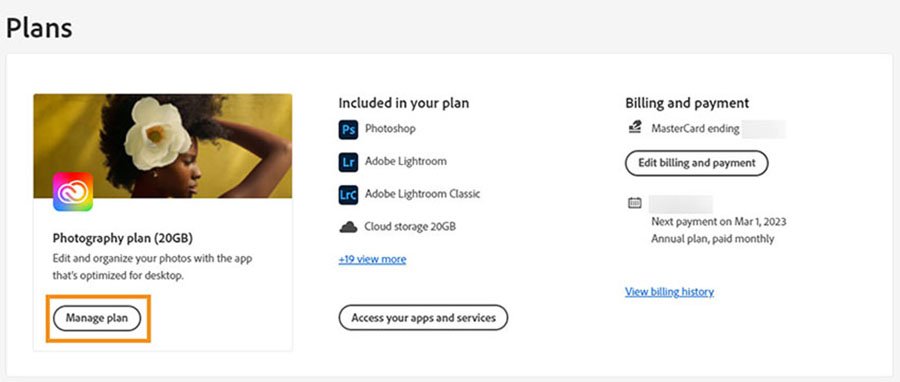
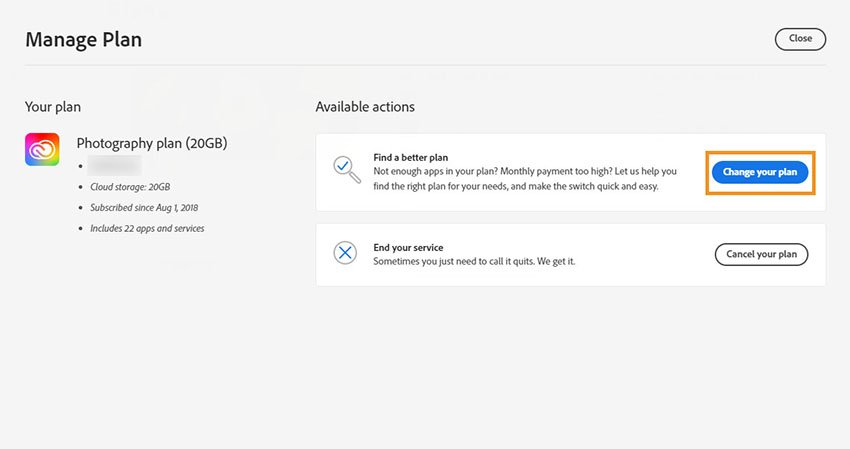
Select Manage plan for the plan you want to change.
-
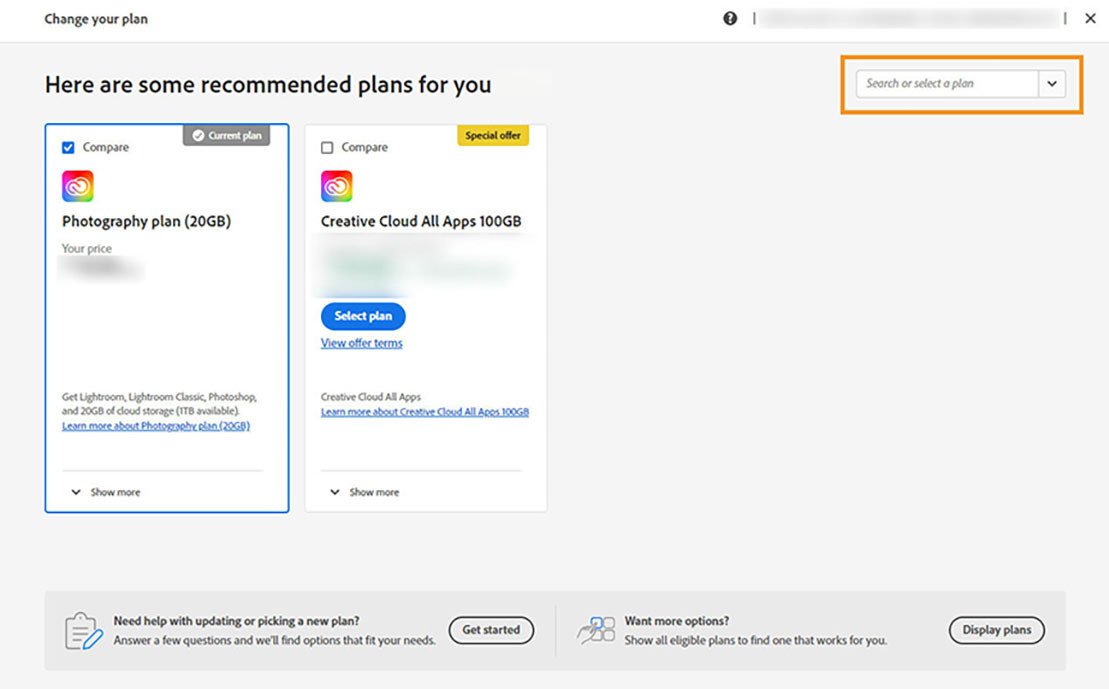
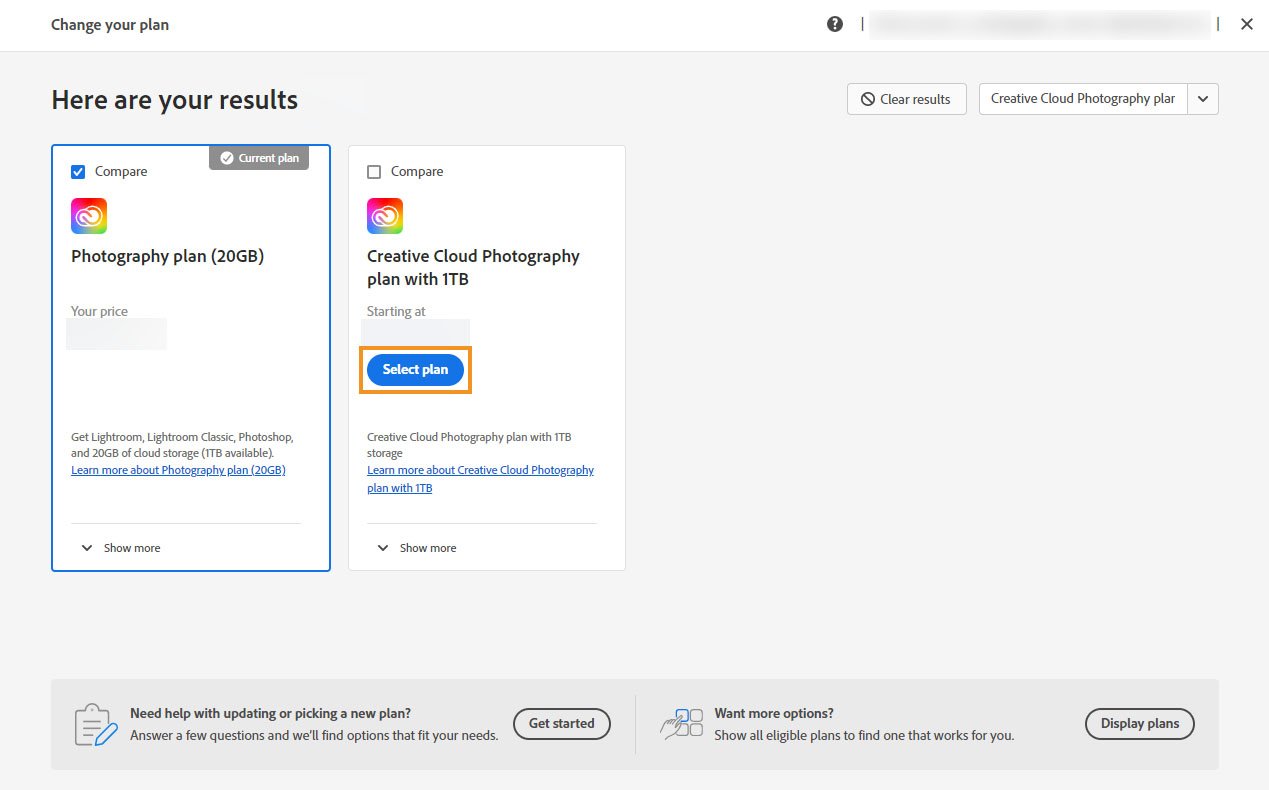
(Don't see Change your plan? The option isn't available if we're processing your payment or had a problem with it. Try again in 24 hours.)
Looking to change your Creative Cloud for teams plan?
Learn how to change your plan if you are a system admin who purchased the plan directly from Adobe.
What happens after you change your plan?
After you change your plan:
- The existing plan is canceled, and you get the applicable refund for it.
- The new plan is effective immediately, and you receive a charge for the new plan.
- Your monthly billing date changes to the date you change your plan.
- For yearly plans, the new renewal date is one year after the date you change your plan. For example, if you change your plan on June 14, 2022, the new plan renews on June 14, 2023.
