
Open Attributes.
Last updated on
Oct 12, 2026
Download attribute definitions to a CSV file to review, share, archive, or reuse your current attribute configuration.
Downloading attributes creates a structured record of how your attributes are configured. The file contains attribute definitions and associated system identifiers; it does not contain extracted values from your documents.
Before you begin
Make sure:
- At least one attribute exists.
- You have access to the Attributes page.
Download attribute definitions
Select the ellipsis menu.
Select Download attributes.
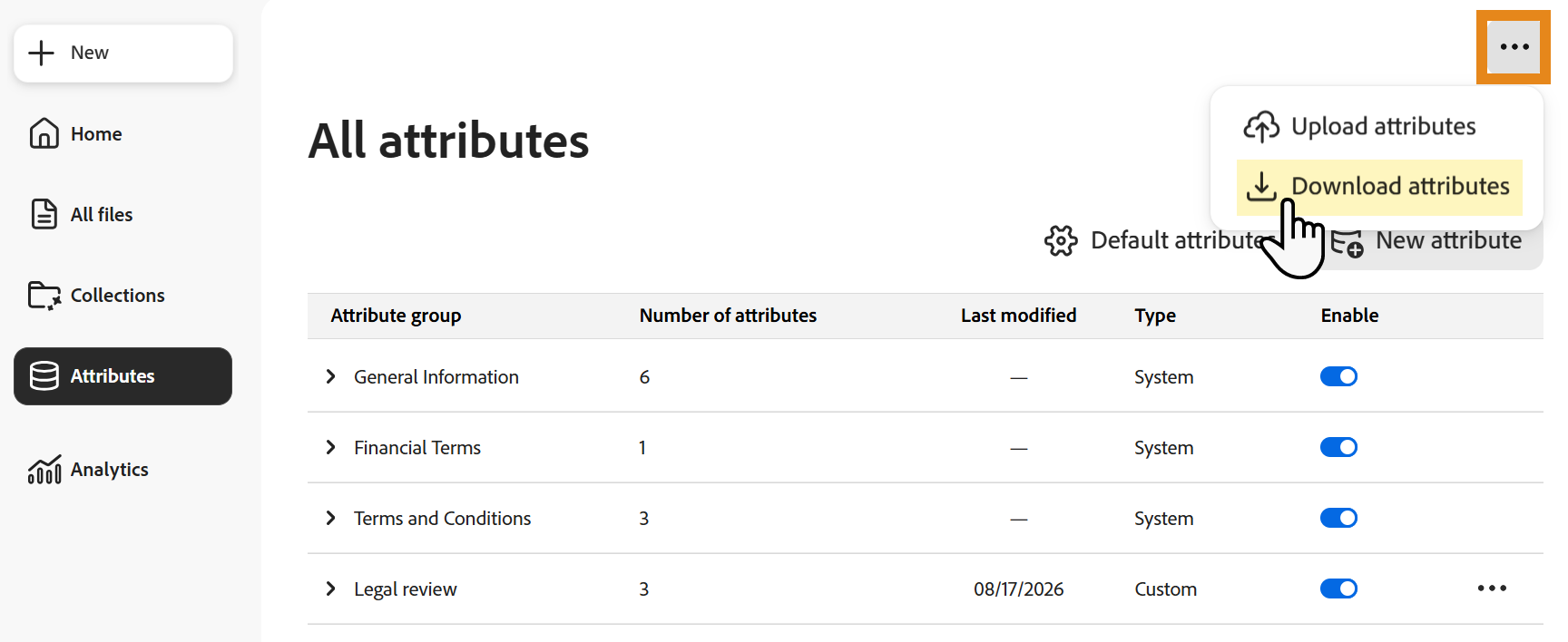
The CSV file downloads automatically when processing completes.
Understand the downloaded CSV
The CSV includes:
- One row for each attribute.
- Columns corresponding to fields defined during attribute creation.
- Internal identifiers, such as Reference ID.
- Configuration details associated with each attribute.

The CSV is a record of the attribute configuration at the time you download it. Downloading the file does not modify attributes or other data in Analyzer.
Attribute definitions vs. extracted data
This download contains attribute definitions, not document-level results.
Use it when you need to preserve or reuse information about how attributes are configured.
To export the values Analyzer extracted from documents, use Export extracted attributes instead.
When to download attribute definitions
Download the CSV when you need to:
- Share attribute configuration details with other users.
- Review attribute setup outside Analyzer.
- Document or archive the current configuration.
- Recreate or migrate attributes in another environment.
