Remove background from videos
Use the Remove background feature to let Firefly automatically identify the subjects in a clip and remove the background throughout the clip.
Learn how to remove background from videos ›
Last updated on
Sep 18, 2026
Explore the new and enhanced features in the latest releases of Adobe Firefly.
September 2026


Try these new features
Start exploring the latest updates and enhancements now.
August 2026

Record and manage voiceovers directly in the timeline
Use Record voiceover to add one or more voiceovers to a video or image in the timeline, and then edit voiceover properties as needed.
Learn how to record and manage voiceovers ›

Resize and reframe videos automatically for social media platforms
Automatically reframe videos for different aspect ratios using Auto reframe in Adobe Firefly video editor (Beta) and keep the main subject in frame throughout the video.
Learn how to automatically reframe videos ›

Create, edit, and organize in a central workspace
Generate and edit images and videos, organize project assets, and build video timelines with the new generation and editing experience (Beta).
Learn about the new generation and editing experience ›
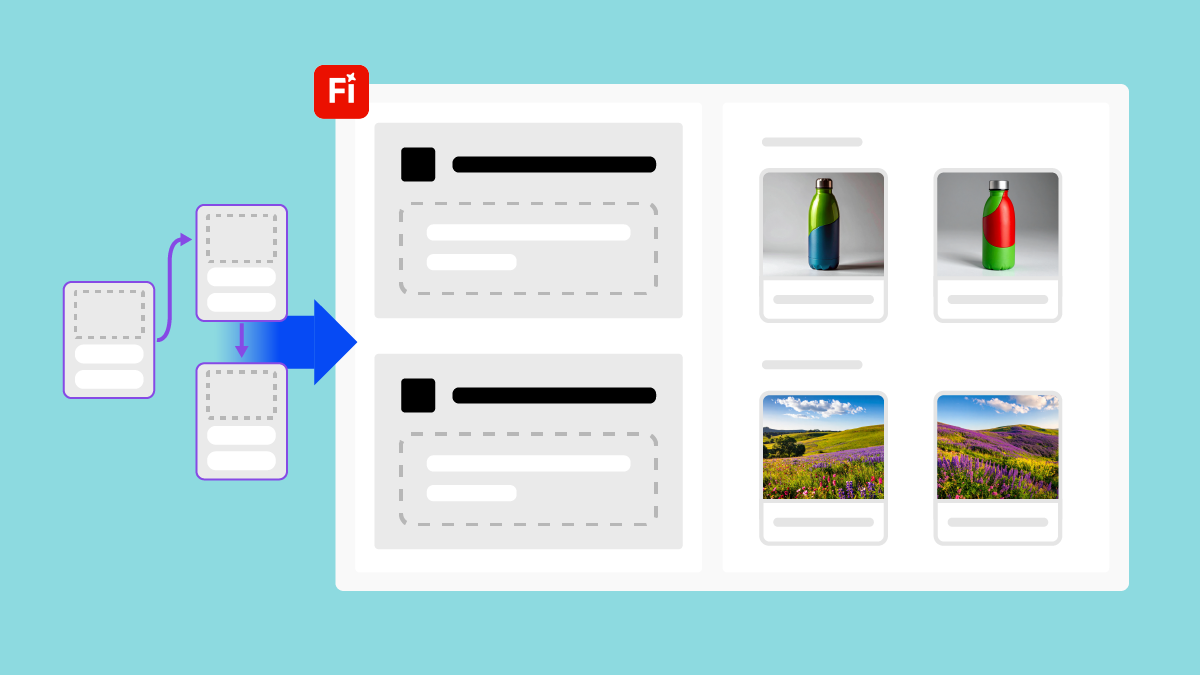
Run interfaces (Beta) to perform batch production jobs easily
Use interfaces, simple interactive experiences created by experts in your organization from production workflows, to run large batch jobs with up to 500 input assets.
Learn more about interfaces ›

Generate music tracks for videos, audio projects, and more
Compose unique, original music tracks with Generate music that are commercially safe and match the vibe and style of your videos.
Learn how to generate music tracks for your creative work ›

Turn your text into realistic and expressive speech
Create natural, expressive voice-overs in multiple languages with Generate speech. And, you can fine-tune the audio's emotion, tone, and pronunciation to complement your content.
Learn how to generate speech using text prompts ›
July 2026

Explore the newly organized workflow templates
Easily find and use various workflow templates, organized by Banners at Scale and Product Assets, on the Creative Production home page.

Search assets using semantic search in Firefly
Describe what you are looking for in natural language, and Firefly surfaces relevant results from your generation history and other locations, without relying on exact filenames.
Learn more about performing semantic search ›

Explore the new Firefly workspace
Discover a redesigned Firefly home experience with quick access to image, video, audio, and design workflows, personalized recommendations, and a cleaner, more intuitive layout.
Learn more about the new Firefly workspace ›

Create with Firefly AI Assistant (beta)
Use natural, conversational language to generate, edit, and refine content across formats as the assistant plans and executes multi-step workflows for you.
Learn more about Firefly AI Assistant ›

Design your own production pipelines with Create workflows
Use Create workflows in Creative Production to design consistent, reusable production pipelines that connect every creative step in a clear, logical flow, enabling design at scale.
Learn how to create production workflows ›

Assemble and validate on-brand content
Use Adobe Brand Intelligence to ensure consistent, compliant content by applying brand rules and insights to validate and assemble assets across workflows.
Learn more about Adobe Brand Intelligence ›

Enhance audio directly in Firefly video editor (beta)
Improve voice quality by reducing noise, isolating music and sound effects, and boosting clarity for a more polished, professional audio for your videos.
Learn how to enhance audio in Firefly video editor ›

Edit with precision using AI Markup
Use AI Markup to draw, select, or reference specific areas of your image, then apply targeted edits with simple text prompts or image references.
Learn how to edit with AI Markup ›

Edit the look and feel of an image
Use Precision Flow (beta) to shift the overall mood, tone, or atmosphere of your image while generating multiple variations to explore different looks.
Learn how to edit with Precision Flow (beta) ›

Start creative projects with confidence using Quick Guides
Use Quick Guides in Firefly Boards to streamline the creative process by following structured, easy-to-understand workflows.
Learn more about Quick Guides in Firefly Boards ›

Edit images in the Edit tab
Take full control over image editing by quickly adding or removing objects and backgrounds, expanding the frame, or upscaling images.
Learn about the new image editing capabilities ›

Design on-brand content at scale with Firefly Design Intelligence
Generate consistent, and customized content directly from Illustrator. Firefly Design Intelligence learns your brand’s visual rules — colors, fonts, logos, and layouts — to build smart, reusable designs.
Learn more about Firefly Design Intelligence ›

Turn clips into a story-ready first cut with Quick Cut
Use prompts to automatically pull and sequence key moments from multiple clips, creating a ready-to-edit first draft of your video idea.
Learn more about Quick Cut in Firefly video editor (beta) ›

Smooth scene transitions with Firefly video editor (beta)
Enhance the visual appeal of your videos by incorporating simple transitions to create harmonious cuts and scene changes.
Learn how to use transitions ›

Generate videos with partner models in Firefly video editor (beta)
Create new clips from simple text prompts using partner models built right into the video editor.
Learn how to generate videos using partner models ›

Create anywhere, anytime with Firefly on iOS
Bring the power of Firefly to your iOS device and generate stunning visuals on the go. The Firefly iOS app gives you fast, intuitive tools to create images, videos, sounds, and edits wherever inspiration strikes.
Learn more about Firefly on iOS ›

Edit videos directly in your browser
Use Firefly's lightweight timeline editor to trim and arrange clips, add titles, add audio, and generate new scenes from any frame.
Learn more about Firefly video editor (beta) ›

Generate speech from text
Transform text into spoken audio using natural-sounding voices in a diverse range of languages, accents, and vocal styles.
Learn how to use Generate Speech (beta) ›

Generate unique and original soundtracks
Create soundtracks that align perfectly with your video's vibe, emotions, pacing, and length.
Learn how to use Generate Soundtrack (beta) ›

Transform your recordings into studio-quality audio
Remove background noise, balance volume levels, and enhance clarity to make your audio sound as if it were recorded in a professional studio.
Learn how to enhance speech ›

Edit images using natural language prompts
Generate or upload images, then use Firefly to add, remove, or transform objects and backgrounds until they match your vision.
Learn how to use Prompt to Edit (preview) ›

Remove and replace backgrounds in bulk
Upload multiple files at once, remove their backgrounds, and replace them with either a solid color or an image of your choice.
Learn how to remove background ›

Color grade multiple images simultaneously
Use the color grading feature to apply consistent and professional-grade color adjustments across large batches of images.
Learn how to color grade ›

Crop multiple images simultaneously
Effortlessly crop thousands of image files simultaneously for use on social media, email campaigns, web banners, and more.
Learn how to crop multiple images ›
?$png$&jpegSize=200&wid=1200)
Custom Models (beta) for Creative Cloud users
Train a Firefly AI model that’s unique to your style and use it to ideate or generate in Firefly and Firefly Boards.
Learn how to train Firefly Custom Models (beta) ›
Join our community to connect, learn, and engage

For inspiration, expert tips, and solutions to common issues, visit Discord or the Adobe Firefly Community forum. Connect with our team and fellow users to exchange ideas, share your creations, stay updated with the latest features and announcements, and provide feedback.

Turn text into art with Adobe Firefly
Create beautiful images and video clips from text prompts using generative AI.
