
Learn more about content variety standards to prevent refusal for identical or similar submissions to Adobe Missions.
Review these guidelines to understand the range and diversity of images expected for Missions submissions. Applying these recommendations can help improve approval rates during moderation.

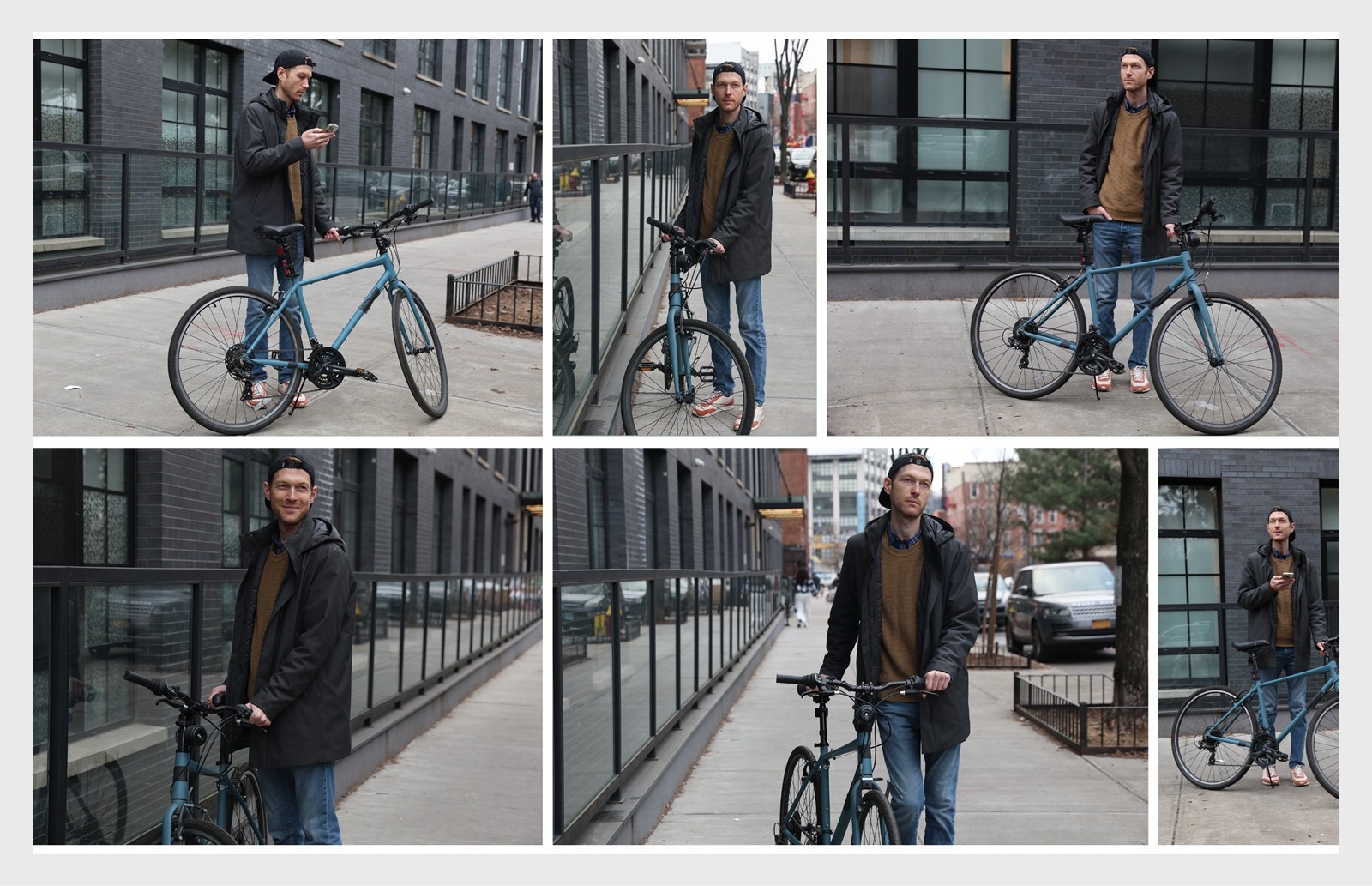
Identical and similar images
A series of images in each Mission can be somewhat similar, but submitted images cannot be identical or nearly identical. We expect each image in a series to be unique to ensure the greatest possible variety for AI/ML training. Submitting pictures in burst mode (continuous shooting by holding the shutter button) is unacceptable as it often produces nearly identical images.
Here are some guidelines for Missions with or without people to ensure the images you contribute provide distinct information and add value to the dataset.
Some guidelines below won’t apply to certain Missions that require specific needs, as noted in the content briefs.
Models and subjects
You can sometimes reuse the same models and subjects across multiple submissions for a Mission, but that amount will vary based on what is defined in the deliverables section of the Mission’s Content Brief.
- If you reuse the same models and subjects for multiple submissions, photograph them in different contexts (e.g., changing the location, lighting, outfits, or scenarios) to maintain variety and avoid repetition.
- Avoid sharing models and subjects with other Mission contributors. Shoots like these will result in nearly identical submissions that will be rejected during moderation.
Composition and framing
- Angles and Heights: Capture the subject from different angles and heights to provide different perspectives within the setting.
- Orientation: Shoot both horizontal and vertical compositions.
- Crop and Aspect Ratio: Include full-length, close-up, and medium shots to showcase different aspects of the subject.


Shoot diversity
Learn about additional ways to optimize your Mission submission and prevent rejection for identical or similar images:
Lighting and exposure
- Use natural or artificial lighting as available.
- Experiment with different exposure levels to accommodate various lighting conditions.
Locations
- Indoor and outdoor settings are both acceptable.
- Repeating a location is acceptable, but change subject positions or lighting conditions so images don't look the same.
Posing
- Incorporate changes in posture, body positions, and natural movements with subjects who are people.
- Remind subjects to incorporate different body language and expressions to avoid replicating poses.
- Avoid exaggerated expressions and poses that feel too staged.
- Move non-people subjects to locations with different backgrounds, surfaces, and lighting conditions to diversify images.
Props
- Integrate props that subjects can interact with to further tell the story.
- Ensure the props complement the Mission's theme.
- Encourage subjects to engage with their environments and props in realistic ways that don’t feel too staged (e.g., holding them unnaturally).
- Capture a sequence of images depicting gradual movements of interactions with props.
