Documentation for Substance Designer 3D is now available on Experience League. After March 14th, HelpX pages will automatically redirect to the equivalent Experience League page.
Refer to the FAQ for more information about which documentation is affected.
Last updated on
Dec 11, 2025

- Substance 3D home
- User guide
- Glossary
- Getting started
- Workspace
- Workspace
- Customizing your workspace
- Home screen
- Main toolbar
- Preferences
- Explorer
- Graph view
- Library
- Properties
- 2D view
- 3D view
- Dependency manager
- Resources
- Resources
- Importing, linking and new resources
- Bitmap resource
- Vector graphics (SVG) resource
- 3D scene resource
- AxF (Appearance eXchange Format)
- Font resource
- Warnings from dependencies
- Substance graphs
- Substance graphs
- Substance graph key concepts
- Creating a Substance graph
- Instances and subgraphs
- Graph parameters
- Manage parameters
- 'Visible if' expressions
- Inheritance in Substance graphs
- Output size
- Values in Substance graphs
- Publishing Substance 3D asset files (SBSAR)
- Exporting bitmaps
- Exporting PSD files
- Sample Substance graphs
- Warnings in Substance graphs
- Nodes reference for Substance graphs
- Nodes reference for Substance graphs
- Atomic nodes
- Node library
- Node library
- Texture generators
- Texture generators
- Noises
- Noises
- 3D Perlin noise
- 3D Perlin noise fractal
- 3D Ridged noise fractal
- 3D Simplex noise
- 3D Voronoi
- 3D Voronoi fractal
- 3D Worley noise
- Anisotropic noise
- Blue noise fast
- BnW spots 1
- BnW spots 2
- BnW spots 3
- Cells 1
- Cells 2
- Cells 3
- Cells 4
- Clouds 1
- Clouds 2
- Clouds 3
- Creased
- Crystal 1
- Crystal 2
- Directional noise 1
- Directional noise 2
- Directional noise 3
- Directional noise 4
- Directional scratches
- Dirt 1
- Dirt 2
- Dirt 3
- Dirt 4
- Dirt 5
- Dirt gradient
- Fluid
- Fractal sum 1
- Fractal sum 2
- Fractal sum 3
- Fractal sum 4
- Fractal sum base
- Fur 1
- Fur 2
- Fur 3
- Gaussian noise
- Gaussian spots 1
- Gaussian spots 2
- Grunge concrete
- Grunge Damas
- Grunge galvanic large
- Grunge galvanic small
- Grunge leaks
- Grunge leaky paint
- Grunge map 001
- Grunge map 002
- Grunge map 003
- Grunge map 004
- Grunge map 005
- Grunge map 006
- Grunge map 007
- Grunge map 008
- Grunge map 009
- Grunge map 010
- Grunge map 011
- Grunge map 012
- Grunge map 013
- Grunge map 014
- Grunge map 015
- Grunge rough dirty
- Grunge rust fine
- Grunge scratches dirty
- Grunge scratches fine
- Grunge scratches rough
- Grunge shavings
- Grunge splashes dusty
- Grunge spots
- Grunge spots dirty
- Liquid
- Messy fibers 1
- Messy fibers 2
- Messy fibers 3
- Microscope view
- Moisture noise 1
- Moisture noise 2
- Perlin noise
- Plasma
- Caustics
- Voronoi
- Voronoi fractal
- Waveform 1
- White noise
- White noise fast
- Patterns
- Patterns
- 3D linear gradient
- 3D volume mask
- Alveolus
- Arc pavement
- Brick 1
- Brick 2
- Brick generator
- Checker 1
- Cube 3D
- Cube 3D GBuffers
- Fibers 1
- Fibers 2
- Gaussian 1
- Gaussian 2
- Gradient axial
- Gradient axial reflected
- Gradient circular
- Gradient linear 1
- Gradient linear 2
- Gradient linear 3
- Gradient radial
- Height extrude
- Mesh 1
- Mesh 2
- Panorama shape
- Polygon 1
- Polygon 2
- Scratches generator
- Shape
- Shape extrude
- Shape mapper
- Shape splatter
- Shape splatter blend
- Shape splatter data extract
- Shape splatter to mask
- Splatter
- Splatter circular
- Star
- Starburst
- Stripes
- Tile generator
- Tile random
- Tile random 2
- Tile sampler
- Triangle grid
- Weave 1
- Weave 2
- Weave generator
- Filters
- Filters
- Adjustments
- Adjustments
- Apply color palette
- Auto levels
- Channel mixer
- Chrominance extract
- Clamp
- Color match
- Color to mask
- Contrast/Luminosity
- Convert to linear
- Convert to sRGB
- Create color palette (16)
- Grayscale conversion advanced
- Hald CLUT
- HDR range viewer
- Height map frequencies mapper
- Highpass
- Histogram compute
- Histogram equalize
- Histogram range
- Histogram render
- Histogram scan
- Non-uniform histogram scan
- Histogram select
- Histogram shift
- ID to mask grayscale
- Invert
- Lighting cancel high frequencies
- Lighting cancel low frequencies
- Luminance highpass
- Min max
- Modify color palette
- Pow
- Quantize color (Simple)
- Quantize color
- Quantize grayscale
- Replace color
- Replace color range
- Threshold
- View color palette
- Blending
- Blurs
- Channels
- Effects
- Effects
- 3D texture position
- 3D texture SDF
- 3D texture surface render
- 3D texture volume render
- Ambient occlusion (HBAO)
- Ambient occlusion (RTAO)
- Anisotropic Kuwahara color
- Anisotropic Kuwahara grayscale
- Bevel
- Bevel smooth
- Cross section
- Curvature
- Curvature smooth
- Curvature sobel
- Diffusion color
- Diffusion grayscale
- Diffusion UV
- Directional distance
- Edge detect
- Emboss with gloss
- Extend shape
- Flood fill
- Flood fill mapper
- Flood fill to Bbox size
- Flood Fill to gradient
- Flood Fill to grayscale/color
- Flood Fill to index
- Flood Fill to position
- Flood Fill to random color
- Flood Fill to random grayscale
- FXAA
- Glow
- Mosaic
- Multi directional warp
- Non-uniform directional warp
- Reaction diffusion fast
- RT irradiance
- RT shadow
- Shadows
- Shape drop shadow
- Shape glow
- Shape stroke
- Summed area table
- Swirl
- Uber emboss
- Vector morph
- Vector warp
- Normal map
- Tiling
- Transforms
- Material filters
- Material filters
- 1-click
- Effects (Material)
- Transforms (Material)
- Blending (Material)
- PBR utilities
- Scan processing
- Mesh-based generators
- Mesh-based generators
- Mask generators
- Weathering
- Utilities (Mesh-based generators)
- Spline & Path tools
- Spline & Path tools
- Working with Path & Spline tools
- Paths to spline
- Path tools
- Spline tools
- Spline tools
- Point list
- Scatter on Spline color
- Scatter on Spline grayscale
- Scatter Splines on Splines
- Spline 2D transform
- Spline (Cubic)
- Spline (Poly quadratic)
- Spline (Quadratic)
- Spline append
- Spline bridge (2 Splines)
- Spline bridge (List)
- Spline bridge mapper color
- Spline bridge mapper grayscale
- Spline circle
- Spline fill
- Spline flow mapper
- Spline mapper color
- Spline mapper grayscale
- Spline merge list
- Spline render
- Spline sample height
- Spline sample thickness
- Spline select
- Spline warp
- UV mapper color
- UV mapper grayscale
- 3D view (Library)
- 3D view (Library)
- HDRI tools
- Node library
- Substance function graphs
- Substance function graphs
- What is a Substance function graph?
- Create and edit a function
- The Substance function graph
- Variables
- FX-maps
- FX-Maps
- How it works
- The Iterate node
- The Quadrant node
- Using Substance function graphs in FX-Maps
- Warnings in Substance function graphs
- Sample Substance function graphs
- Nodes reference for Substance function graphs
- Nodes reference for Substance function graphs
- Function nodes overview
- Atomic function nodes
- Function node library
- MDL graphs
- Working with 3D scenes
- Bakers
- Best practices
- Pipeline and project configuration
- Color management
- Package metadata
- Scripting
- Scripting
- Plugin basics
- Plugin search paths
- Plugins packages
- Plugin manager
- Python editor
- Accessing graphs and selections
- Nodes and properties
- Undo and redo
- Application callbacks
- Creating user interface elements
- Adding actions to the Explorer toolbar
- Using color management
- Using spot colors
- Logging
- Using threads
- Debugging plugins using Visual Studio Code
- Porting previous plugins
- Packaging plugins
- Scripting API reference
- Technical issues
- Release notes
Version 15.1
Release date: December 11th, 2025

Highlights
In this release, the graph creation window has been comprehensively redesigned to enhance the initial user experience in Substance 3D Designer. The primary goal of this update is to streamline the template selection process, allowing users to efficiently identify the most suitable template for their requirements.
Thumbnails offer instant visual references for the intended material types, while detailed tooltips supply all pertinent information. For improved organization, templates are now classified into specific categories such as materials, filters, and scan processing.
Although the main interface has been upgraded, users continue to have access to previous views, including list, packages, and directories options.

With the launch of our redesigned graph creation window, we've added a variety of sample materials directly inside the software. This enhancement is in response to your request for better access to learning resources.

To meet this need we have included material samples such as fabrics (including leather and satin), wood, metal, plastic, ceramic and more. These examples are intended to help you start your projects with ease and get acquainted with the main family nodes available in Substance 3D Designer
Each graph is annotated, carefully organized, and contains a minimal number of nodes to make it as easy to understand as possible.
You can access the samples in the 'Material samples' category when creating a new Substance graph, or directly from the Home screen using the convenient 'Go to samples' button.
Alongside these foundational materials, we've also provided advanced samples to demonstrate how to use FX-map and Pixel processor features more effectively.

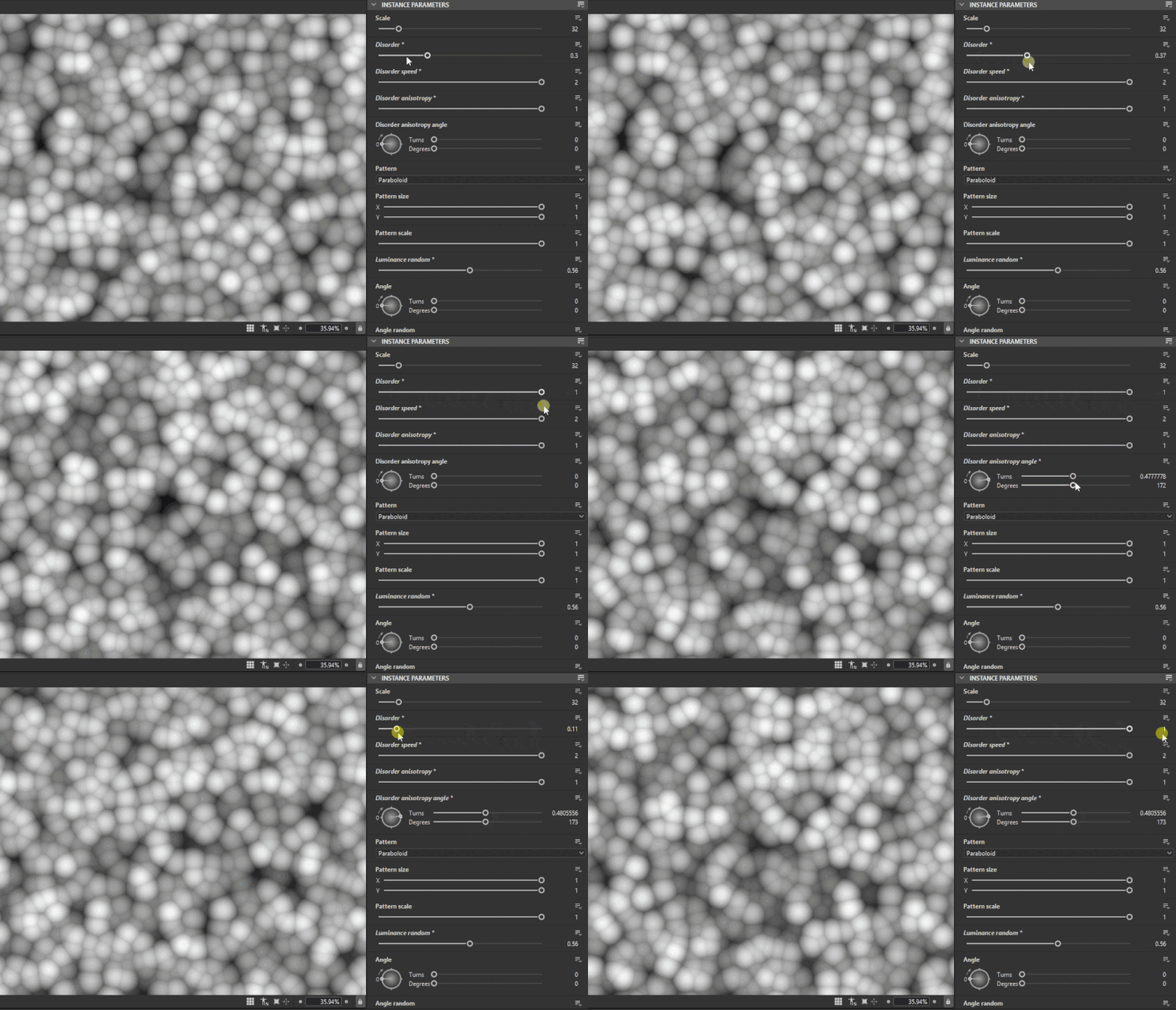
Noises play a crucial role in the majority of graphs, which is why we have focused on several key enhancements in this release to improve their functionality and usability.
With this update, we have introduced better support for non-tiling scenarios, ensuring that noise patterns behave as expected without mandatory tiling. Previously, noise nodes were either forced to tile or produced incorrect results when tiling was disabled.
Most noises now include new parameters, providing users with greater creative control. These additional options empower graph authors to fine-tune the appearance and behavior of noise within their workflows.
Finally, bitdepth is no longer hard-locked to 16-bits. You can now override the bitdepth setting on individual node instances, allowing you to achieve higher detail and dynamic range when needed, or optimize your graphs for performance.
See the full list of updated noises in the release notes below.
Examples: Cells 1 Clouds 2 Directional scratches Moisture noise 1
To address the challenge of locating specific nodes within the extensive library, we have introduced categories in the Node menu.
The vast number of available nodes can make it difficult to quickly find the desired one. To streamline this process, a new Group attribute has been implemented at the graph level. When this attribute is defined, it is used to organize and sort the search results.


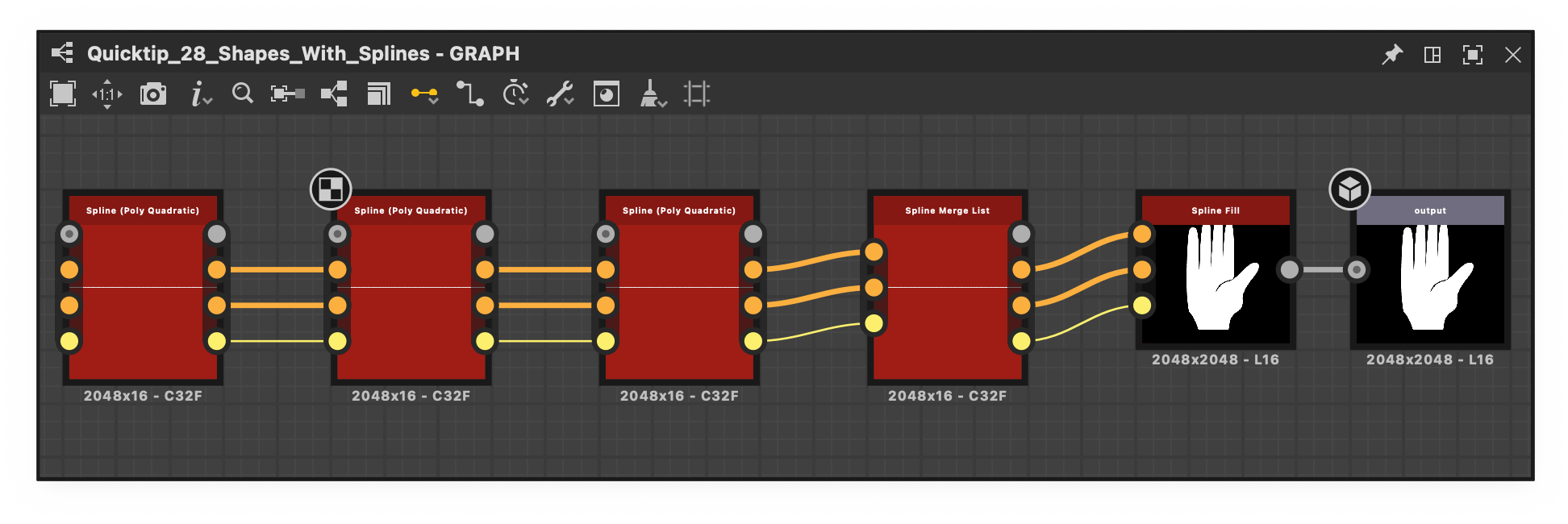
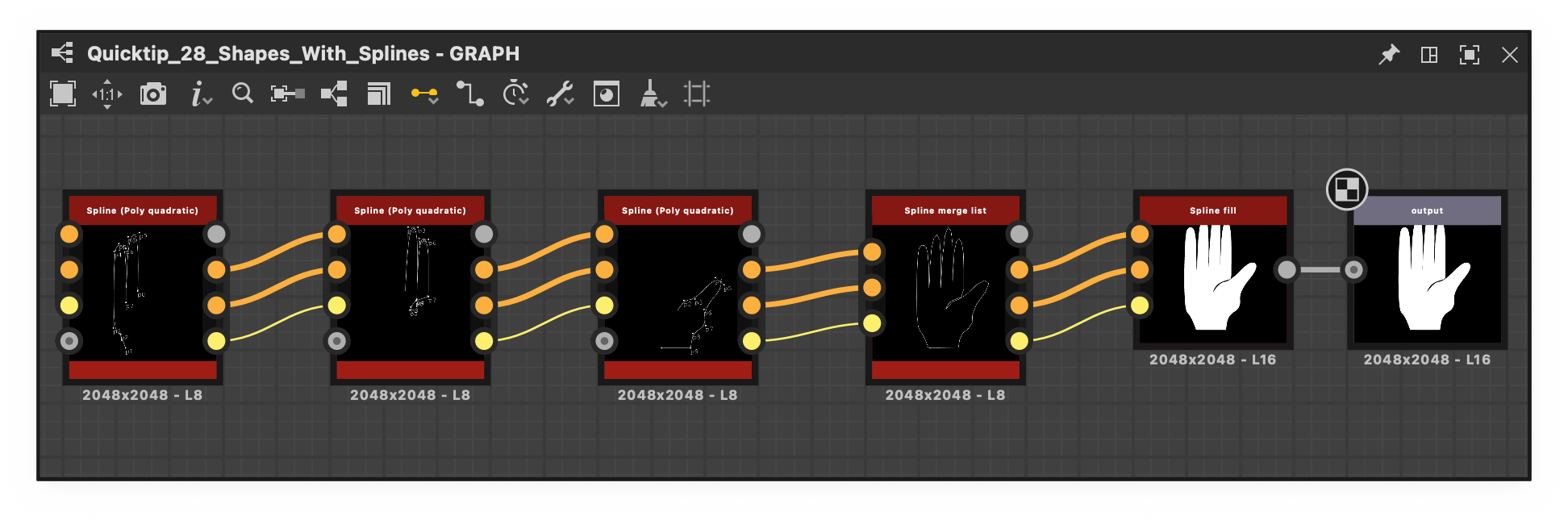
When a node has multiple outputs, it is not possible to display all of them simultaneously in the 2D view or as the node thumbnail. The prevailing guideline in such scenarios is to utilize the first connected pin, or, if none are connected, the first output by default.
However, this approach may not always yield optimal results. For instance, in some Spline nodes the first connected pin often represents spline coordinates data, which is not suitable for previewing purposes.
To address this, a default output attribute has been introduced. This feature allows the graph author to specify which output should be displayed by default, thereby enhancing the intuitiveness of node usage and facilitating a clearer understanding of the authored graph.
Play with the image below to see the difference before and after the default output definition.
When working with function graphs, you may need to determine whether a variable exists within the graph.
For instance, detecting the absence of a variable enables you to provide a fallback value, ensuring the function behaves as expected without requiring every input to be explicitly set. That’s why we added the 'Is defined' node.

15.1.0
(Released December 11th, 2025)
Added
- [NewGraph] Rework of the new graph window
- [NewGraph] Add materials samples and advanced samples
- [NewGraph] Add a new attribute for graph for the template data (category and sub-title)
- [NewGraph] Remove Output format option
- [Content] Add hash functions
- [Content] Add tonemappers to functions.sbs
- [Content] Anisotropic noise v2: add default output format, add disorder
- [Content] Apply sentence case to node and parameters labels
- [Content] BnW spots 1 v2: add default output format, no tiling support
- [Content] BnW spots 2 v2: add default output format, no tiling support
- [Content] BnW spots 3 v2: add default output format, no tiling support
- [Content] Cells 1,2,3,4 v2: add default output format, no tiling support, disorder options
- [Content] Clouds 1 v2: add default output format, no tiling support
- [Content] Clouds 2 v2: add default output format, no tiling support
- [Content] Clouds 3 v2: add default output format, no tiling support
- [Content] Color to mask v2
- [Content] Directional noise 1 v2: add default output format, no tiling support
- [Content] Directional noise 2 v2: add default output format, no tiling support
- [Content] Directional noise 3 v2: add default output format, no tiling support
- [Content] Directional noise 4 v2: add default output format, no tiling support
- [Content] Directional scratches v2: add default output format, no tiling support
- [Content] Dirt 1 v2: add default output format, no tiling support
- [Content] Dirt 2 v2: add default output format, no tiling support
- [Content] Dirt 3 v2: add default output format, no tiling support
- [Content] Dirt 4 v2: add default output format, no tiling support
- [Content] Dirt 5 v2: add default output format, no tiling support
- [Content] Dirt gradient v2: add default output format, new disorder options
- [Content] Fractal Sum Base v2: add default output format, disorder, no tiling support
- [Content] Fractal sum 1,2,3,4 v2: add default output format
- [Content] Gaussian noise v2: add default output format, no tiling support
- [Content] Gaussian spots 1&2 v2: add default output format, no tiling support
- [Content] Messy fibers 1,2,3 v2: add default output format, no tiling support, disorder options
- [Content] Moisture noise v2: add default output format, no tiling support
- [Content] New 'Moisture noise 2' node
- [Content] Noises: update to add default outputformat
- [Content] Perlin noise v2: add default output format, no tiling support
- [Content] Shape mapper: add filtering mode
- [Content] UV mapper: add filtering mode
- [Content] Waveform 1 v2: use default output format + new options
- [Content] White noise v2: use default output format, add distribution options
- [Bakers] Display the UVs from the selected mesh only
- [Bakers] Add an option to select the method of matching geometry by name
- [Bakers] Select the closest Baker when a baker is deleted
- [Bakers] UDIM: define a list of UV tiles to bakes
- [Bakers] Update bake sdk to 3.15.4
- [3D View/SceneBrowser] Avoid selecting a UsdPrimitive when doing a right click on it
- [ColorManagement] Support ACES 2.0
- [Compositing Graph] Allow to set an output node as the "Default output"
- [Cooker] Remove warning on unconnected inputs of function instances 
- [Functions] Add isDefined operator
- [Graph] Group the items per 'group' attribute in the node menu
- [Graph] Improve thumbnail rendering
Fixes
- [3D View] L16 Grayscale texture is displayed with a red tint when plugged to the environment or the baseColor
- [3D View] Changing the material binding of a scene with no material creates a new "default" material
- [3D View] Computed normals are not correct for specific OBJ meshes
- [3D View] Custom environment from SBSSCN is not visible on load in Pathtracer
- [3D View] Errors in the Console when rotating a disabled environment
- [3D View] Specular level is not applied correctly
- [3D View] Specular edge color doesn't work when using Eclair rasterizer
- [3D View] User added material is not applied on default scenes
- [3D View][Bakers] Material color is too dark once overridden or when using a "Color" baker
- [3D View][Bakers] No material color from FBX file
- [Bakers] Material colors in FBX files are not correctly detected
- [Bakers] 'recompute_tangents' option is always 'false' in JSON preset exports
- [Bakers] CLI: Crash when running the same baker consecutively through JSON file
- [Bakers] Updating the 'color-generator' parameter does not work for 'Grayscale'
- [Content] Mask to paths: Failure in non-square ratios
- [Content] PBR Render/Icon renderer: Incorrect specular lobe function
- [Content] Paths to spline: Set the 'Output size' to 'Relative to parent' by default'
- [Content] Point list: Points are not in the correct order when data texture is non-square
- [Content] Spline mapper: 1px line glitch in random cases
- [Content] Spline mapper: stretched UVs in some cases when thickness is 0
- [Graph] Crash when deleting the output of a function subgraph
- [Graph] Input node color type can be changed in read-only packages
- [Graph] Primary input can be changed in read-only packages
- [Properties] The color of the color preview widget does not match the sRGB button state
- [Scene] Cannot load an OBJ file larger than 2 GB
- [UI] The Console and Dependency manager docking states are not restored after restart
KNOWN ISSUES
- [Bakers] Crashes during baking with some specific NVIDIA drivers
- [3D View] OpenGL: some imported scenes may not be rendered
- [3D View] Pathtracer: slow performances when updating textures with tesselation/displacement enabled
- [3D View] Some color material properties are not color-managed correctly when overridden
- [3D View] Scenes with animated primitives are not properly supported
- [3D View] Mesh with multiples UDims are not yet supported
- [3D View] Mesh with multiples UVs are not yes supported and may result in invalid material rendering
- [3D View] Pathtracer not supported on AMD graphic cards

